Create a personal profile
When you click the "Create New Profile" button, a screen will open containing two tabs: Profile Settings and Templates.
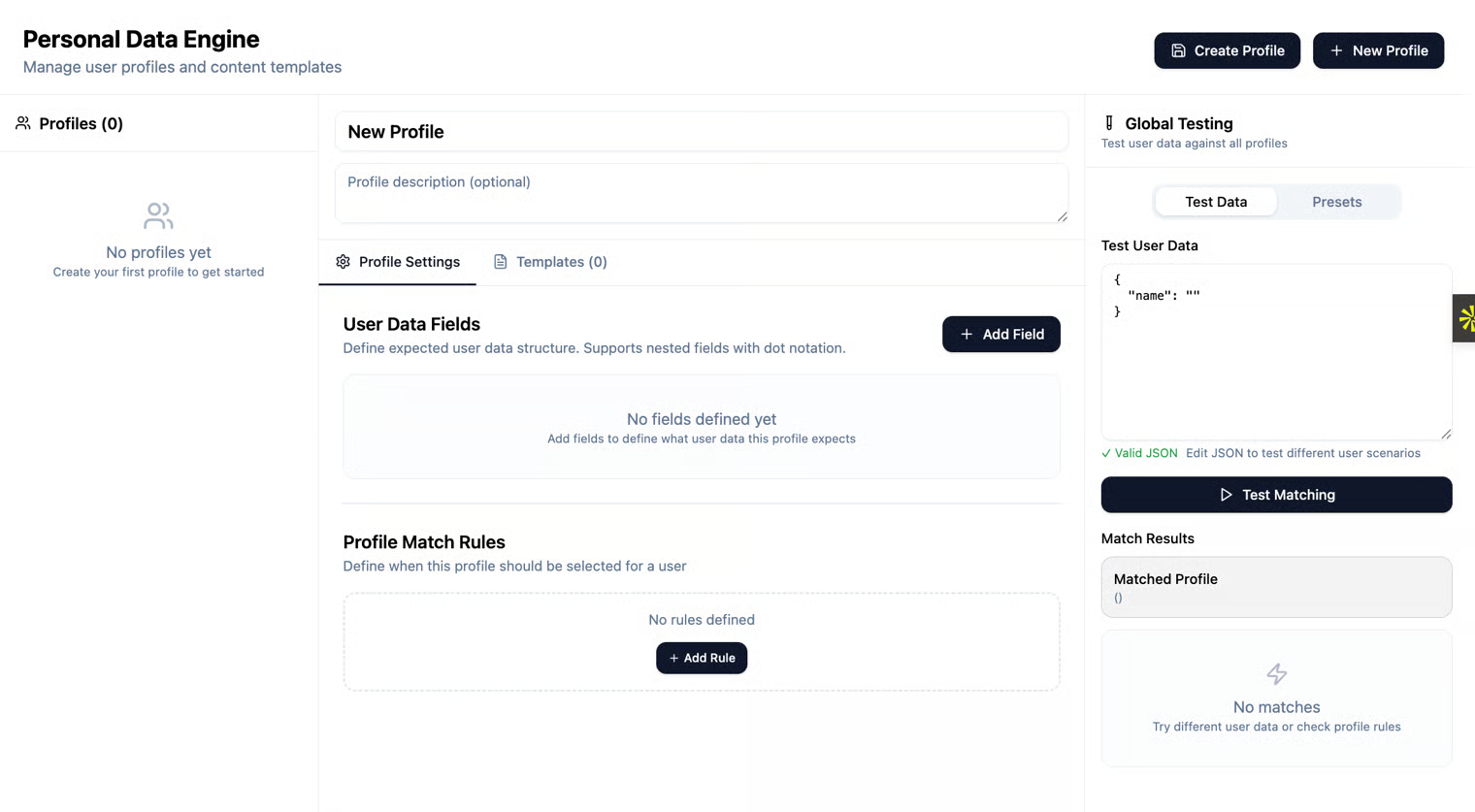
Profile settings
In this tab, you can create a JSON containing the fields that make up a customer’s personal profile.
User Data Fields
This section allows you to create the fields that make up the customer profile JSON. By clicking the button to create a new field, you can enter the desired field names.
Examples of fields relevant to a personal profile in a banking context:
- Customer Name
- Account / Subscription Type
- Account Balance
- Deposits
- ID Number / Customer ID
- Address
- Phone Number
- Email Address
- Transaction History
- Credit Limit
- Account Opening Dates
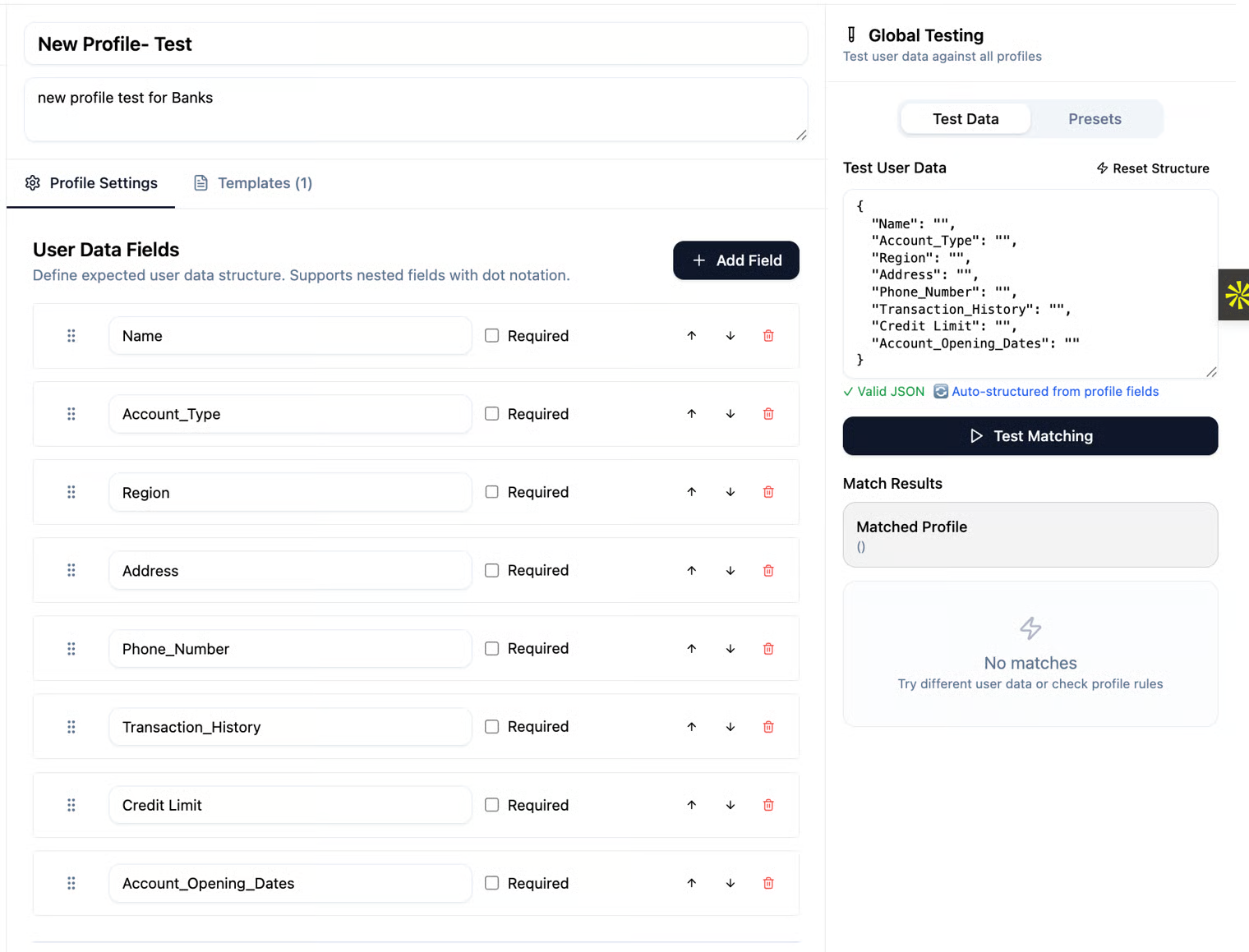
As shown in the image above, we have added several relevant fields as examples. As company employees, you are familiar with the types of customers and the required personal information, so you can define which fields should be included in the JSON in this section. When using the Conversation Analysis feature, you can identify gaps in the personal data within the profile, based on questions that are not properly answered due to missing information in the JSON.
Test User Data
After entering all the fields, on the right side under Test User Data, you can see how your JSON will appear, based on the fields you created. Note: To create a field name containing more than one word, use _ (underscore) between the words.
Profile Match Rules
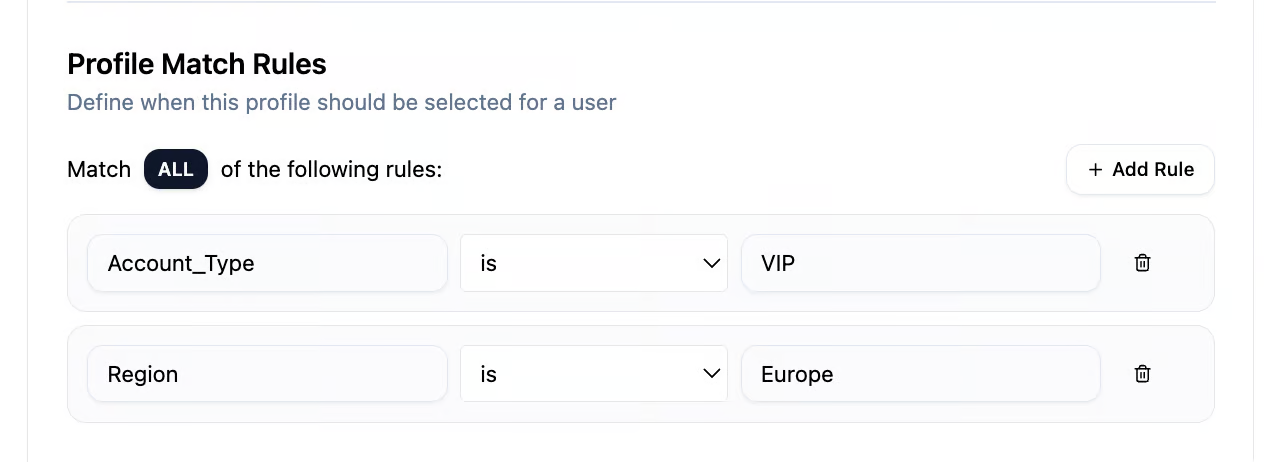
At the bottom of the page, there is a section called Rules, where you can define rules for the fields you created in User Data Fields. Here, you can specify when a particular profile should be selected for a user.
Example rules:
- Account / Subscription Type IS VIP
- Account Balance GREATER THAN 10,000
- Customer Region IS Europe
- Credit Limit LESS THAN 5,000
- Subscription Status IS Active
Templates / Knowledge Item
Why use a Template?
When creating a new profile, a template allows you to generate personalized content for different users automatically, based on the fields defined in the User Data Fields and the rules in the profile. Benefits of using templates:
- Saves time and avoids manual work for each profile.
- Ensures consistency in communication with users.
- Allows live content preview through Live Preview before publishing.
- Enables targeting specific profiles based on rules (e.g., VIP subscription, low account balance, user location).
template overview
Content Templates
In Content Templates, you can create the message content by combining the fields you defined in the JSON (in the Profile Settings tab). You can select the item’s title, its content, and define Rules tailored to the content you created.
To use the fields you defined, place the field name inside double curly braces.
Live preview
To see how the message will actually appear to the user, you can enter the relevant information in each field under Test User Data.
This allows you to check how the content defined in the Content Templates will be displayed and ensure that your configuration is correct.
Please refer to the following example.
In the following image, We have updated the values for all the fields we defined in Settings within the Test User Data.
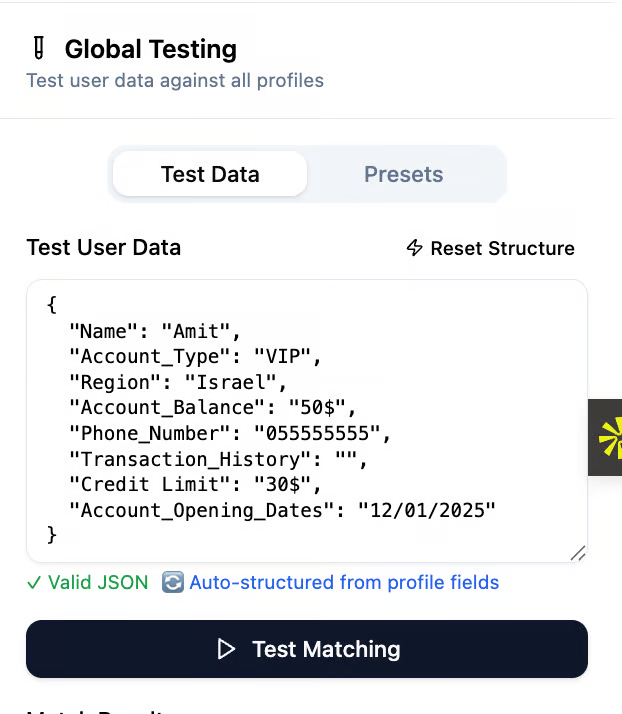
After confirming that the JSON is valid, I can create content in the Template and see how it appears in the Live Preview.
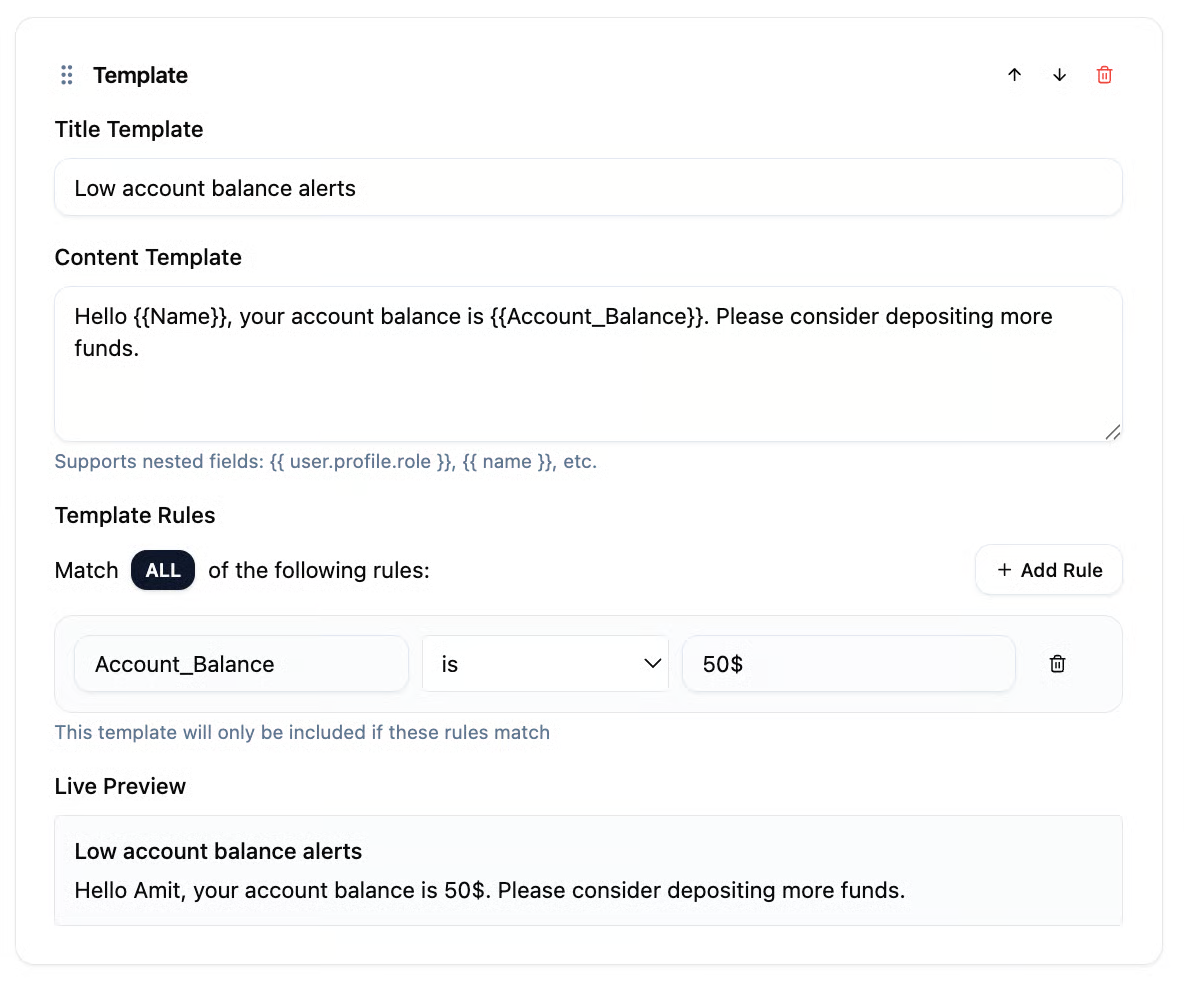
Examples of using Templates in a new profile:
- Low account balance alerts
- VIP upgrade offers
- Payment or subscription renewal reminders
- Regional or location-based promotions
Global Testing
The system allows you to simulate reading the Personal Data according to the JSON you defined. At the top corner of the page, you can view the JSON and the fields you created. By filling in the fields with sample data, you can verify that the profile you created matches the intended profile: profiles that meet the Rules you defined will be displayed below as they are triggered.
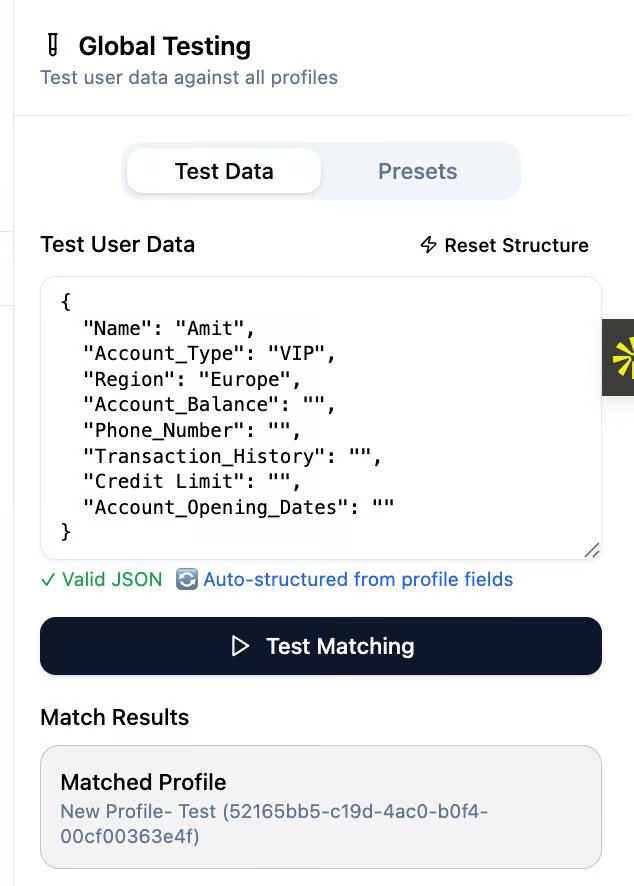
As shown in the example above, I created a profile for a person named Amit, whose Region is Europe. Therefore, the profile I created ("New Profile- Test"), which matches this setting, appeared automatically below.