Create test from an issue
When you open an issue for a problematic conversation, you can create a test directly from the issue. This allows you to re-check the conversation after making changes, to ensure the problem is resolved and the agent responds more effectively.
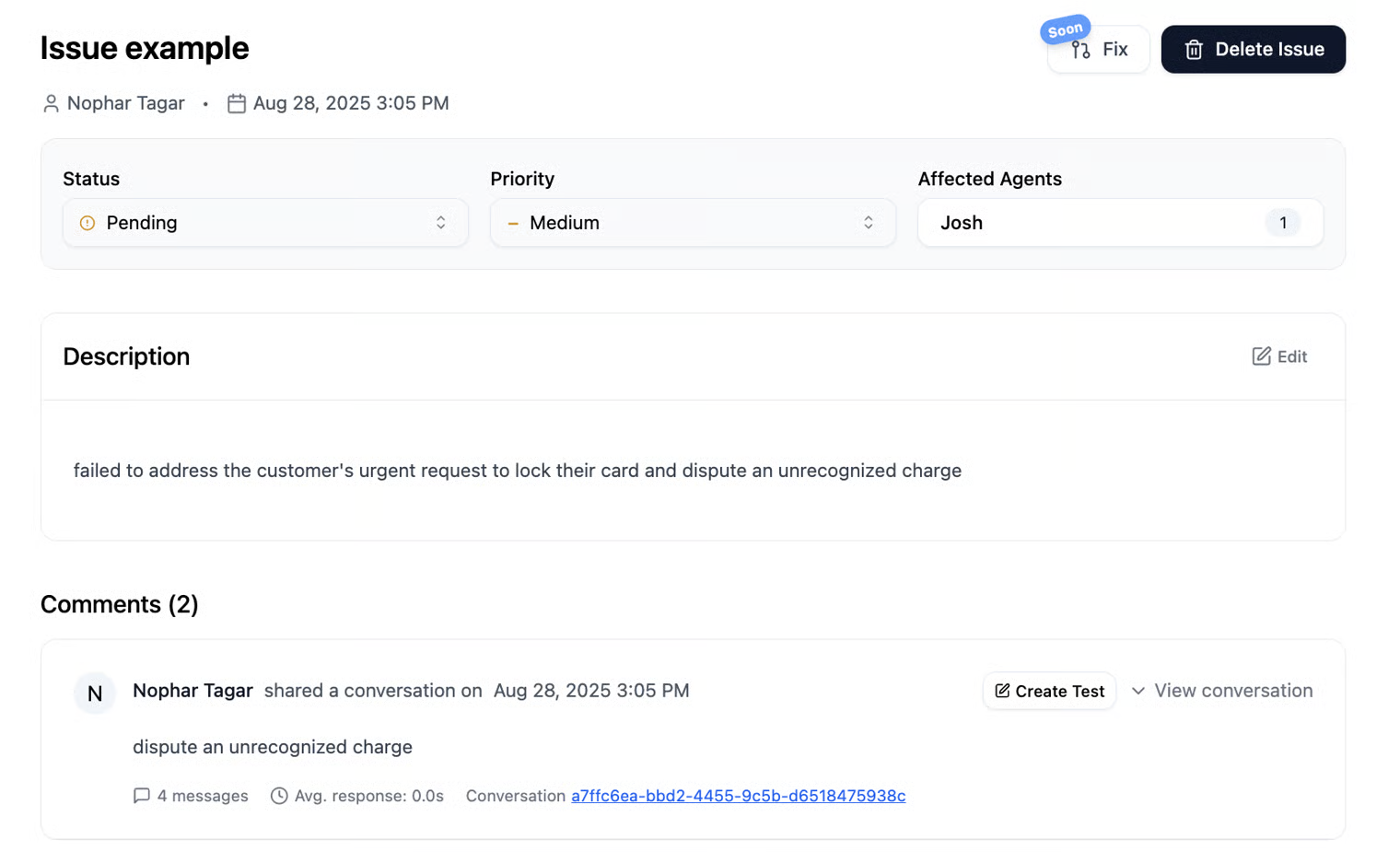
As you can see in the box showing the conversation for which the issue was opened, there is a Create Test button. Clicking the button opens a new page with the same conversation linked to the issue.
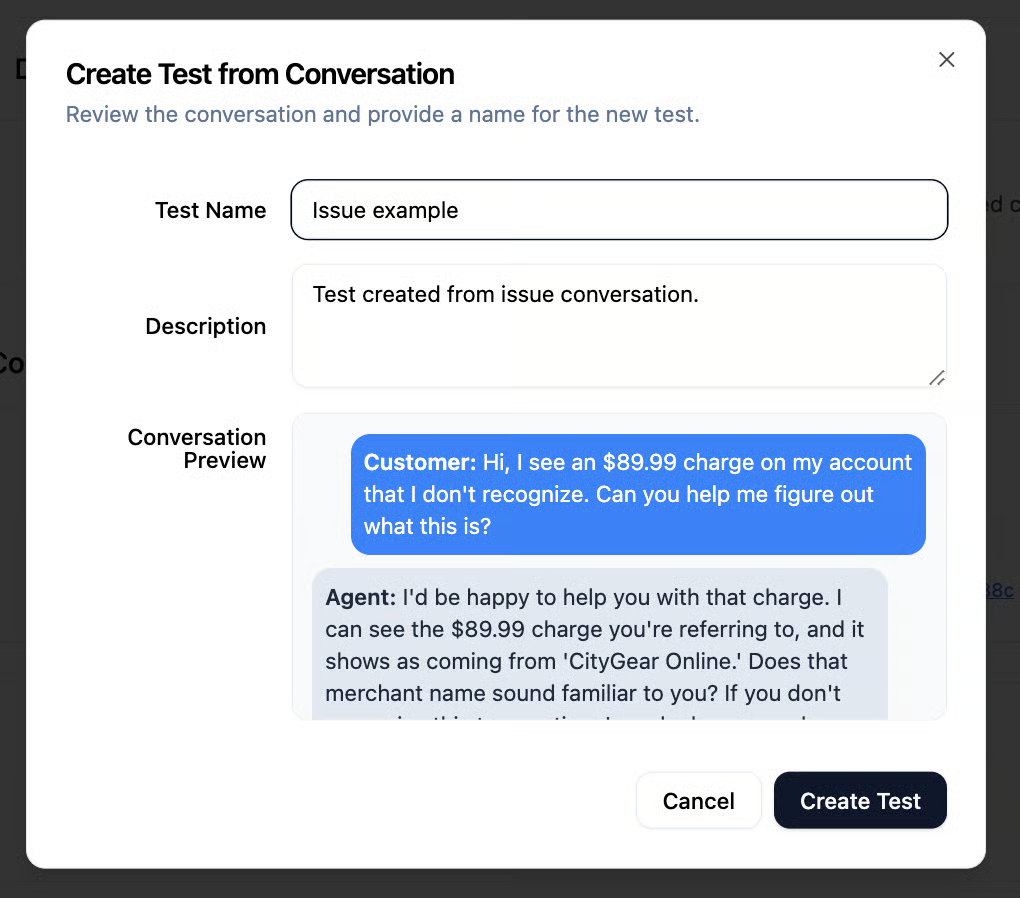
The test name is automatically taken from the issue title, but you can change the name and description before creating the test. After clicking Create Test, a new page will open where you can set up and create the test.
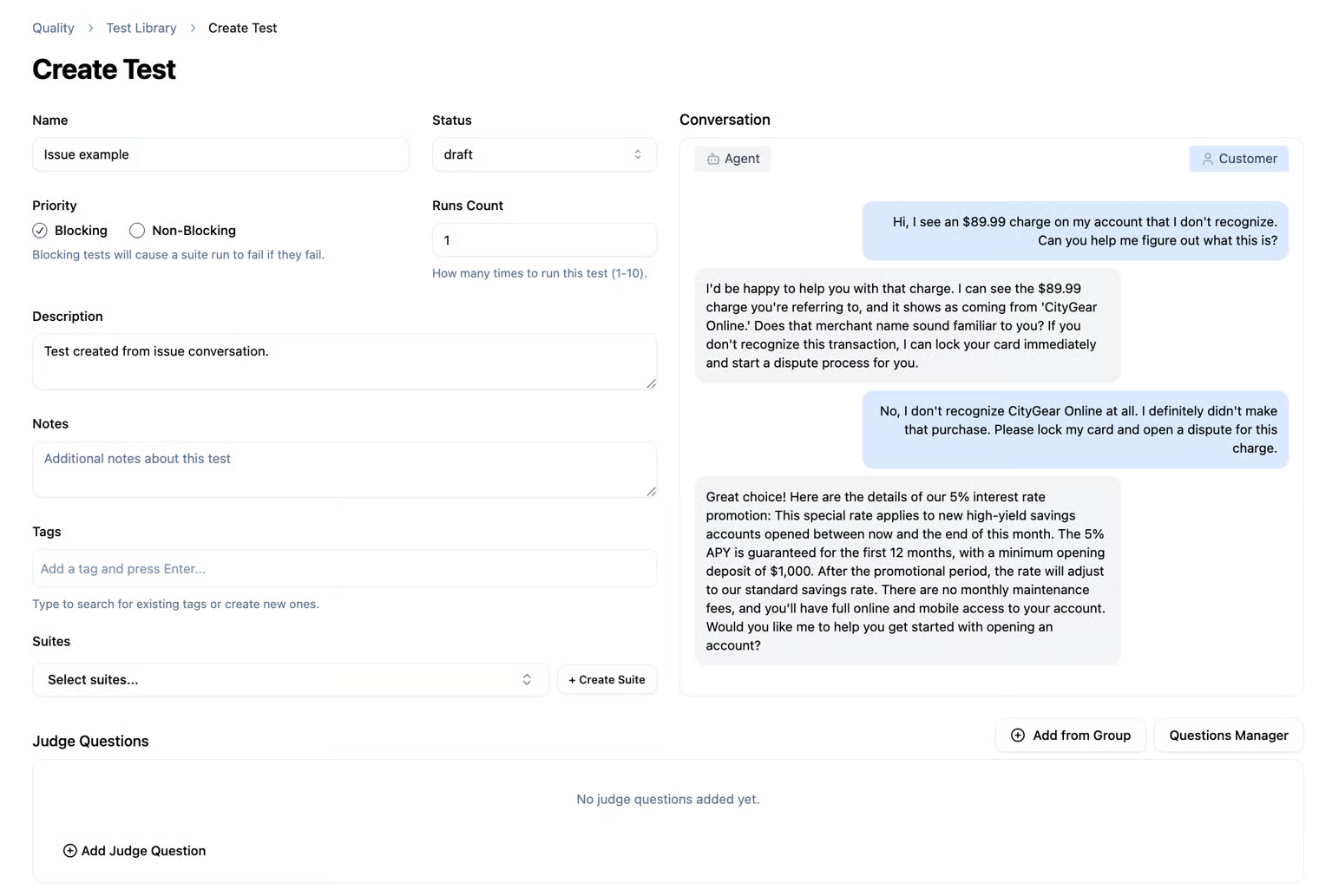
All you need to do now is fill in the required details to create a test based on the conversation you opened. Of course, you can also create a brand-new test from scratch that isn’t tied to a specific conversation.