Overview
At the bottom of the sidebar, you will see the email address associated with your login, along with a three-dot menu. Click the three dots and select API Keys to open the API Keys page.
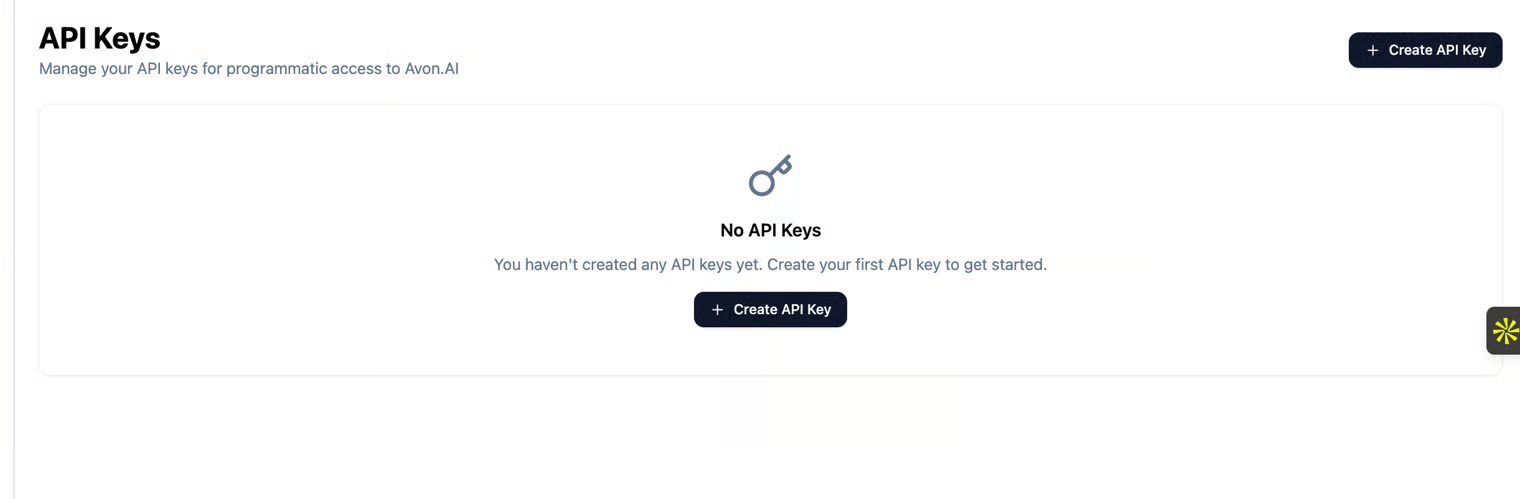
The API Keys page allows you to create and manage your API keys for accessing Avon AI programmatically. Use this page to generate secure keys, remove unused keys, and maintain proper access control to your account.
Creating an API Key
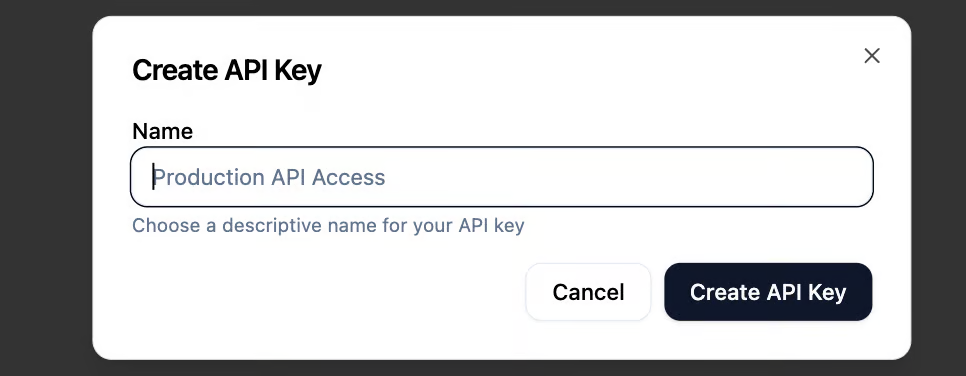
- Click Create API Key to generate a new key.
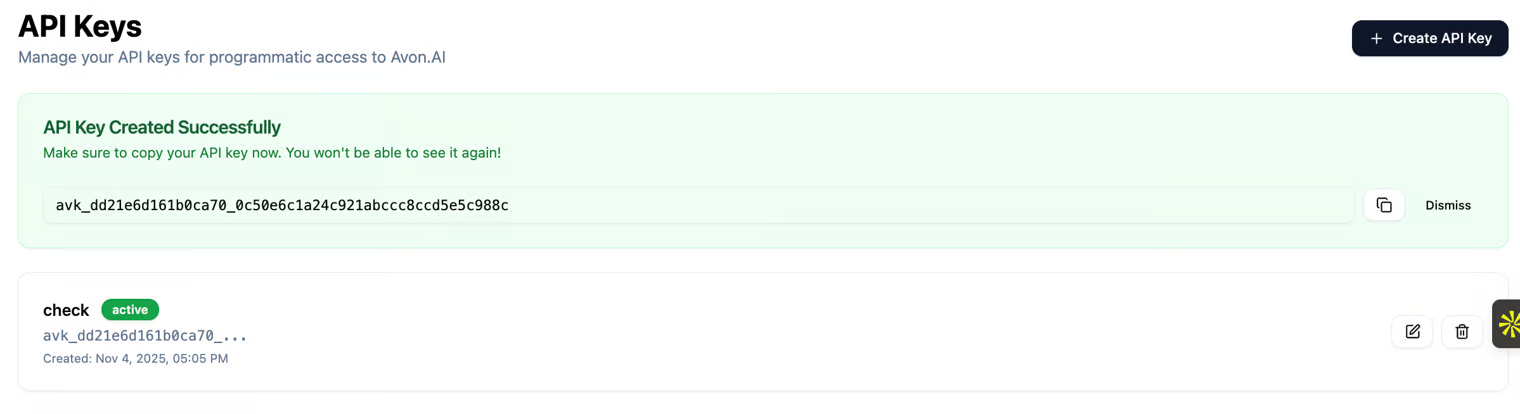
- Once created, the key will be displayed only once. Make sure to copy and store it securely before leaving the page.
Important: For security reasons, the API key cannot be viewed or copied again after you navigate away. Manage your keys wisely and store them securely.
Copying the API Key
- You can copy the key immediately after it is created using the Copy button.
- After closing or refreshing the page, the full key will no longer be visible.
Best Practice: Keep a secure record of your API keys (e.g., encrypted vault, organization secrets manager) to avoid losing access.
Deleting an API Key
- You may delete an API key at any time.
- Once deleted, the key is permanently invalidated and can no longer be used for API access.
Recommended to delete unused or compromised keys to maintain security.
Creation Date
Each API key includes a Creation Date to help you track when it was generated and manage key lifecycle hygiene.