Overview
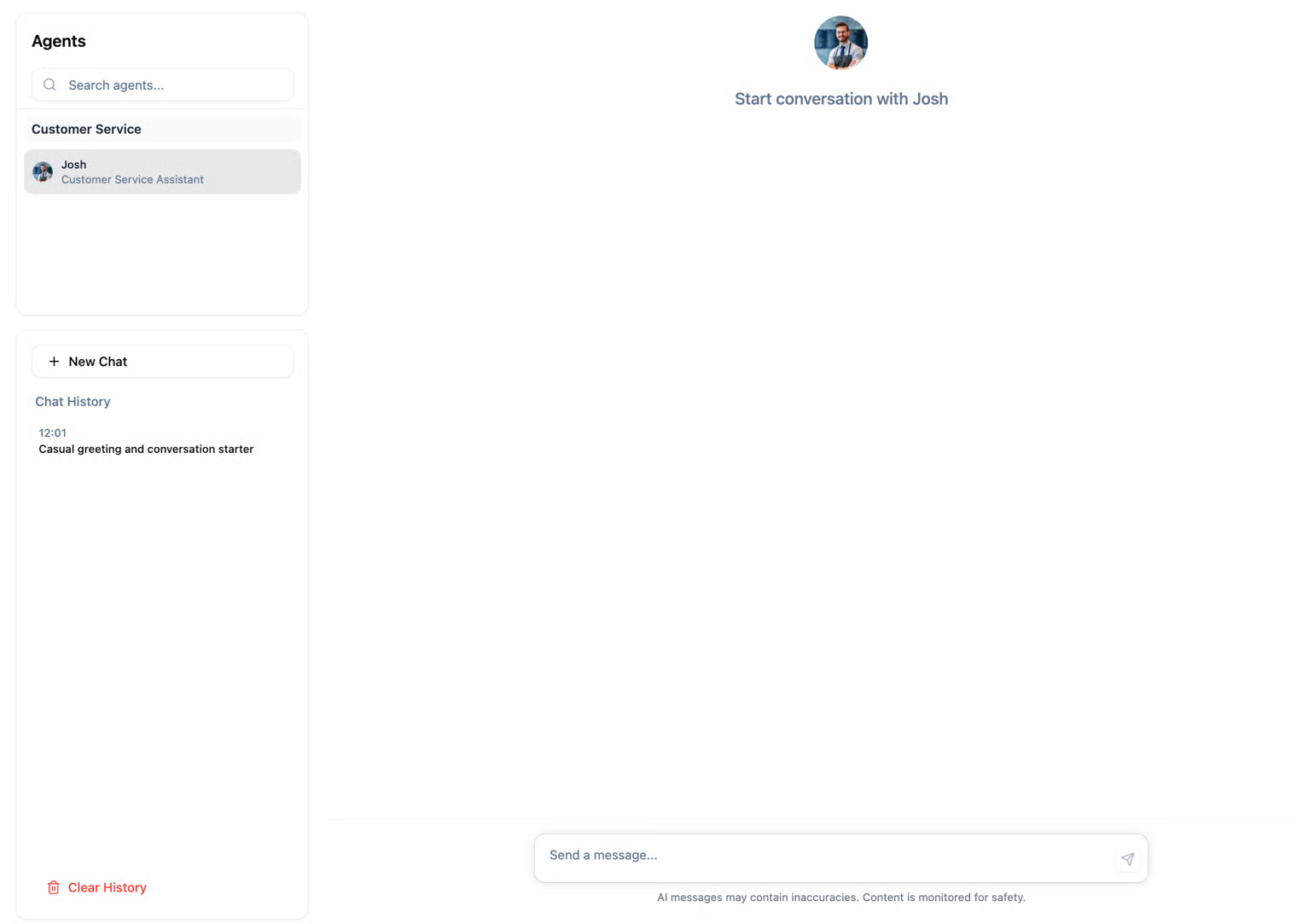
When accessing the ״Chat With Agent" page, you’ll see a familiar chat interface with the AI agent. You can select which agent you’d like to talk to, review the full history of previous conversations, and start new chats at any time.
Use Cases
The Chat with Agent feature lets you explore and test your agent freely and safely. Here are several ways you can make use of it:
- Scenario Testing / Simulations Run different dialogues to observe how the agent reacts in complex or unexpected situations
- Experiment with Guardrails Test how changes in pre- or post-processing modules affect the agent’s responses.
- Training & Onboarding Allow managers or new employees to interact with the agent and understand its behavior before production use.
- Immediate Feedback Identify issues or errors in real-time and provide feedback, for example by marking a conversation to create a Test.
- Compare Configurations Chat with different agents or with different settings to see how responses vary.
- Prototype New Knowledge Test new pieces of information or responses before adding them to the main Knowledge Base.
- Explore Agent Limits Understand which types of questions the agent can or cannot handle, to guide improvements.
- Casual Exploration A safe “playground” environment to interact with the agent without affecting conversation analysis or production.
Create test from Chat With Agent
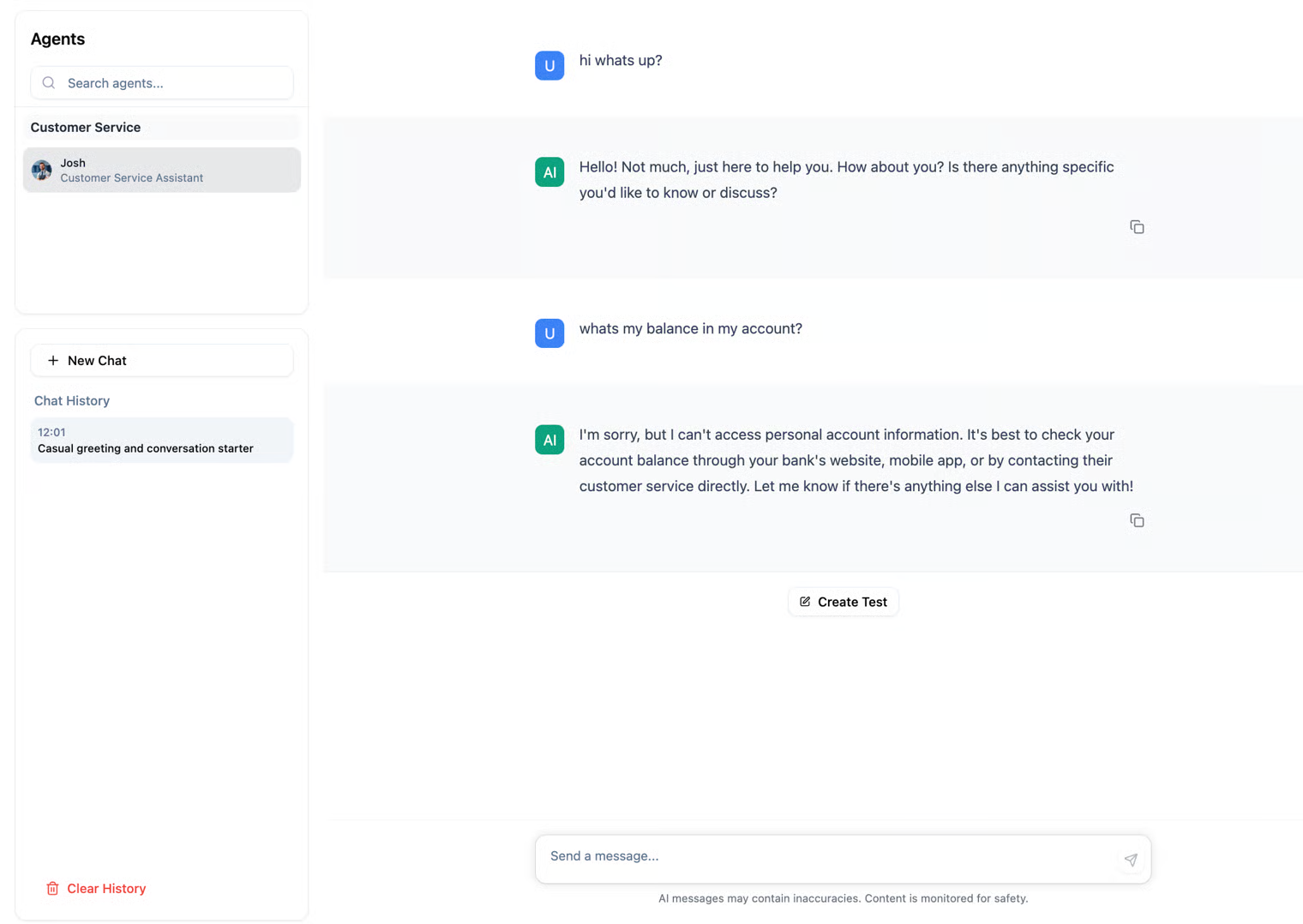
The Chat with Agent feature makes it easy to create Tests to evaluate your agent’s performance. You can generate a Test from an existing conversation with a client, create one manually, or start a new chat with the agent and create a Test directly using the button within the chat window. Once created, you can edit the Test and its messages to tailor it precisely to your needs, and use it to run repeated checks on the agent or on different configurations.